
 English
  Français
  Русский
  Español
  Deutsch
  Português
  العربية
  Italiano
A CBC testing machine has become an essential tool in modern clinics, physician offices, pharmacies, and small laboratories. By automating the Complete Blood Count process, a compact hematology analyzer can deliver fast and reliable results from just a tiny blood sample, helping clinicians quickly assess infections, anemia, inflammation, and bleeding risks.
This article explains, in practical language, how to operate a CBC testing machine from blood collection to result interpretation, using the Ozelle EHBT‑50 mini‑lab style analyzer as a model. The focus is on safe, repeatable operation and clear understanding of what happens at each step, so you can confidently integrate CBC testing into everyday workflow.
Introduction: From Manual CBC to Smart Mini‑Lab
A Complete Blood Count measures white blood cells, red blood cells, hemoglobin, hematocrit, and platelets, along with multiple indices that describe cell size and distribution. Clinicians order CBCs for fever, fatigue, suspected infection, bleeding, and pre‑operative evaluation, making fast and accurate results critical, especially in primary care, emergency settings, and small labs.
A CBC testing machine, also called a CBC analyzer or hematology analyzer, is an automated system that replaces manual counting under a microscope. Traditional analyzers were large, reagent‑intensive instruments housed in central labs, while new compact “mini‑lab” systems integrate hematology, immunoassay, and even dry biochemistry into a single bench‑top device.
The Ozelle EHBT‑50 mini‑lab CBC analyzer is a typical example: it combines 7‑diff CBC, immunoassay markers like CRP and SAA, and basic biochemistry in one platform, designed for clinics, physician offices, pharmacies, small hospitals, and mobile units.
Getting to Know the CBC Testing Machine
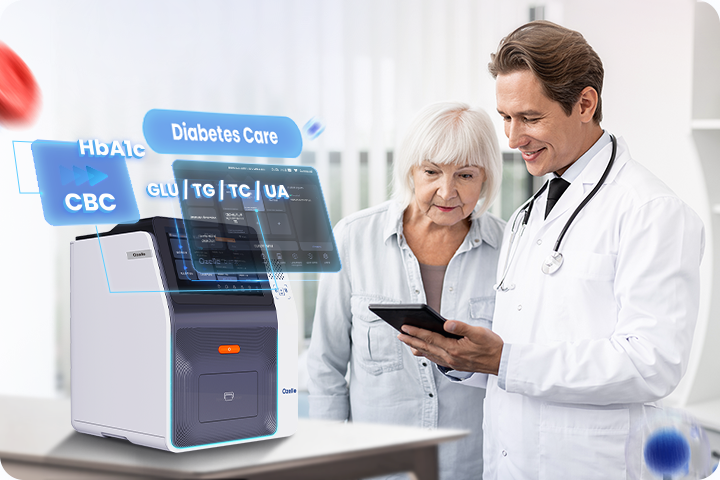
Modern CBC testing machines rely on advanced technologies to achieve lab‑grade accuracy in compact form.
First, they use cell morphology technology (CBM, Complete Blood Morphology) instead of relying only on impedance or standard flow cytometry. Cells are stained, imaged at high resolution, and classified based on their shape, size, and staining characteristics. Second, AI‑powered image recognition models perform 7‑part WBC differential and detect abnormal cells, such as immature neutrophils or hypersegmented forms, bringing the interpretation closer to what an expert hematologist would see.
The EHBT‑50 CBC testing machine offers:
- 7‑diff cell morphology including NST, NSG, NSH, ALY, PAg, and RET, in addition to standard WBC subsets.
- Single‑use cartridge design, integrating the test kit, diluent, and counting chamber, which minimizes contamination and maintenance.
- Small sample volume, typically 30–100 μL from capillary or EDTA tube, making it suitable for finger‑prick and pediatric patients.
- Turnaround time of about 6 minutes per CBC test, enabling rapid decision‑making at the point of care.
From each run, you can expect key CBC parameters such as WBC, NEU, LYM, MON, EOS, BAS, RBC, HGB, HCT, and PLT, plus extended indices like RDW, MPV, PDW, PCT, NLR, and PLR. The CBC testing machine also outputs histograms, cell morphology images, and AI flags with clinical hints to aid interpretation.
Pre‑Test Preparation: Setting Up for Safe and Reliable CBC Testing
Before running any test on a CBC testing machine, proper setup and preparation are essential.
From an environmental standpoint, the device should be placed on a stable bench in a clean room with controlled temperature and humidity. It connects to standard power (typically 100–240 V, 50/60 Hz), and it may require a short warm‑up period so internal temperatures stabilize before testing.
Biosafety is critical when handling blood. Operators should wear gloves and a lab coat, and use eye protection when there is a splash risk. Capillary and venous samples must be handled according to infection control protocols, and all used consumables from the CBC testing machine must be discarded in biohazard containers.
Consumable preparation includes ensuring a sufficient stock of single‑use CBC test kits and counting chambers, disposable pipette tips, and capillary tubes. Each test kit should be checked for intact packaging, correct lot number, and expiry date before use.
Quality control is a routine part of CBC testing. Dry‑type QC cards are commonly used to verify that the analyzer is performing within specification. These are typically run daily or at defined intervals, and the CBC testing machine compares the QC values against target ranges. Auto‑calibration functions handle internal adjustments, but QC documentation should still be maintained for compliance and auditing.
Step‑by‑Step: How to Operate the CBC Testing Machine

Powering On and System Self‑Check
To begin, power on the CBC testing machine and allow it to complete its self‑diagnostics. During this process, the analyzer checks optics, mechanical components, and channel temperatures, and then displays the home screen with access to the CBC test menu, combined panels, and settings.
Collecting the Blood Sample Correctly
For finger‑prick capillary sampling:
- Prepare the site by cleaning the fingertip with an appropriate antiseptic.
- Use a sterile lancet to obtain a drop of blood and discard the first drop to avoid tissue fluid dilution.
- Collect about 30 μL of blood into the supplied capillary tube, ensuring it is filled to the mark without large air bubbles.
For venous EDTA tube sampling:
- Collect venous blood into an EDTA tube, then gently invert the tube several times to mix with the anticoagulant.
- Avoid vigorous shaking, which can cause hemolysis and compromise the CBC.
- Venous samples are often preferred when multiple tests are required or when capillary sampling is not appropriate.
Loading Consumables into the Analyzer
Once the sample is ready, open the sample loading area of the CBC testing machine:
- Place the two disposable tips into their holders as indicated by icons or on‑screen diagrams.
- Insert the filled capillary tube or EDTA tube into the designated sample holder, making sure it is fully seated.
- Insert the CBC test kit, which includes the cartridge and counting chamber, into the correct slot according to the mechanical guide.
On devices like the EHBT‑50, a built‑in camera and sensors verify that the cartridge, tips, and sample are correctly positioned, with on‑screen prompts to guide the operator and reduce user error.
Entering Patient Information and Selecting the Test Mode
Before starting the run, enter patient information manually or by barcode scanning if available. At minimum, an ID and age are recommended so the CBC testing machine can apply appropriate reference ranges.
Then select the desired test mode:
- CBC only, for routine blood cell analysis.
- CBC plus CRP/SAA, for infection and inflammation assessment.
- Combined panels that add markers such as HbA1c or thyroid hormones, depending on the cartridge type.
Verify that the selected test matches the sample and clinical request before proceeding.
Starting the CBC Test: One‑Click Automation
To start the test, press “Start” or “Slot‑in sample” on the touch screen. The CBC testing machine then performs:
- Automated sample aspiration and dilution.
- Wet‑staining of cells for morphology analysis.
- Cell morphology image acquisition with high‑resolution optics.
- Temperature control across channels for CBC, immunoassay, and biochemistry segments as required by the cartridge.
A complete CBC typically takes around six minutes, with status indicators on the screen showing progress and any alerts.
After the Run: Cartridge Handling and Safety
After processing, the analyzer displays a completion notice and shows the result summary. At this point:
- Remove the used test kit, tips, and capillary or EDTA tube carefully.
- Segregate sharps (lancets, needles) from other biohazard waste.
- Discard all used components in line with local biomedical waste regulations.
Because all waste liquid is sealed inside the cartridge, there is no need to handle internal waste containers, which makes the CBC testing machine safer and easier to manage.
Reading and Interpreting CBC Results
The on‑screen CBC report typically displays numeric results, flags, and visual aids.
The layout includes WBC, RBC, PLT, and differential counts, along with indices such as MCV, MCH, RDW, MPV, PDW, and ratios like NLR and PLR. Each parameter is shown with reference ranges, and high or low values are flagged, guiding rapid review.
Visual aids enhance interpretation:
- WBC, RBC, and PLT histograms illustrate the volume distribution of each cell group, helping identify patterns such as broad red cell size variation or abnormal platelet populations.
- Cell morphology images show examples of neutrophils, lymphocytes, monocytes, and other cells, highlighting atypical forms that may require follow‑up.
- AI‑generated abnormality flags indicate features such as left shifts, hypersegmentation, or atypical lymphocytes, offering clinical hints without replacing professional judgment.
Results can be printed via the built‑in thermal printer, sent to LIS/HIS through LAN or USB connections, and stored within the analyzer for longitudinal review. However, clinical responsibility remains with the physician or qualified healthcare provider, who must decide when to repeat a test or send samples to a reference laboratory for confirmation.
Routine Quality Control and Troubleshooting
Regular QC ensures that the CBC testing machine remains reliable. Daily or periodic QC runs use commercial materials or dry‑type QC cards with known target values; results should fall within the manufacturer’s specified ranges. If QC fails, operators should check expiry dates, storage conditions, and cartridge integrity, then repeat the QC with a new kit before testing patient samples.
Common operational errors include:
- Insufficient sample volume, which the analyzer detects and flags; the solution is to recollect blood with correct volume and technique.
- Incorrect positioning of the capillary, tips, or cartridge, often resolved by reinserting components following on‑screen guidance.
- Expired or damaged test kits, which should be discarded and replaced.
Temperature, optics, or mechanical arm error codes may occasionally appear. If they do not resolve with simple corrective actions or restarts, the issue should be escalated to technical support.
Biosafety, Maintenance‑Free Design, and Daily Care
Single‑use cartridges offer a significant biosafety advantage for any CBC testing machine. They eliminate carryover between patients, keep all waste liquid sealed, and remove the need for flushing internal reagent lines.
“Maintenance‑free” in this context means there is no routine internal cleaning, reagent priming, or tubing replacement. Daily tasks focus on external cleaning with suitable disinfectants, keeping vents clear, checking the touch screen, and visually inspecting connectors and ports. Weekly care may simply involve wiping down the device more thoroughly and verifying that the printer and communication ports function properly.
Workflow Optimization and Application Scenarios
CBC testing machines like the EHBT‑50 are well suited to small clinics, physician offices, pharmacies, community health centers, emergency departments, and mobile units, where fast decisions are essential and space is limited. They cover typical daily demand for many outpatient settings while reducing dependence on central labs.
Because the same device can often run CBC, immunoassay, and basic biochemistry from tailored cartridges, users can schedule CBCs alongside CRP, SAA, or HbA1c testing without changing instruments, helping reduce patient waiting times and simplifying workflow.
Training requirements are modest. The graphical interface and guided prompts reduce operator error, and most nurses or technicians can become competent after a short training period. For more information about the underlying solutions and product portfolio, users can refer to the official site at https://ozellemed.com/en/hematology/
Conclusion: A Simple Workflow for Reliable CBC Testing
A modern CBC testing machine transforms a complex lab procedure into a simple, repeatable workflow: power and QC check, correct sampling, careful loading, appropriate test selection, and structured result review. With small sample volume, rapid turnaround, and AI‑powered morphology, devices like the Ozelle EHBT‑50 mini‑lab provide high diagnostic value while remaining maintenance‑free and easy to use.
For daily practice, a quick CBC operation checklist—confirm power and QC, collect the sample properly, load consumables correctly, select the right test mode, and review results in context—can help ensure consistent, reliable performance and better patient care.