
 English
  Français
  Русский
  Español
  Deutsch
  Português
  العربية
  Italiano
Introduction: The Hidden Burden of CBC Analyzer Maintenance
Monday mornings in clinical laboratories across the country follow an all-too-familiar pattern. The CBC machine hums to life, but before processing a single patient sample, technicians perform startup procedures, wait for calibration cycles, and run quality control tests. For facilities still operating traditional wet-chemistry automated hematology analyzers, this Monday ritual often consumes 30 to 60 minutes of critical laboratory time—time that could otherwise be spent delivering diagnostic results to waiting patients.
The CBC (complete blood count) machine represents one of the most essential instruments in modern healthcare, processing thousands of samples monthly to detect anemia, infections, bleeding disorders, and blood cancers. Yet the maintenance demands of traditional CBC analyzers remain one of the healthcare industry’s most underestimated operational challenges. Poor maintenance leads directly to inaccurate results, unexpected downtime, regulatory violations, and cascading costs that frequently exceed the equipment’s original purchase price within a decade.
This comprehensive checklist addresses the gap between what technicians know they should do and what actually prevents analyzer failures. Understanding the interconnected nature of daily, weekly, and monthly maintenance tasks—and why each matters—transforms CBC machine care from a burden into an investment in diagnostic reliability and patient safety.
Understanding Why Maintenance Matters for CBC Analyzers
Accuracy and Reliability: The Foundation of Trust
A CBC machine’s primary responsibility is delivering accurate blood cell counts, differential analysis, and hemoglobin measurements that clinicians use for diagnosis and treatment decisions. Poorly maintained systems generate erroneous results through several mechanisms: aspiration needle contamination carries residual DNA from previous samples, blocked apertures count cellular debris instead of blood cells, and uncalibrated optical sensors misinterpret particle size and complexity.
These errors compound across a single day’s testing. A morning analyzer running without proper blank testing may deliver false WBC counts, leading clinicians to diagnose infections that do not exist or miss genuine sepsis. One multicenter study documented that 23% of laboratory errors trace directly to instrument maintenance failures, with hematology analyzers responsible for the largest percentage of critical results reported incorrectly.
Downtime Prevention: Continuity of Care
When a CBC machine fails unexpectedly, laboratory operations face an immediate crisis. Samples must be rerouted to reference laboratories or backup instruments (if available), introducing 24 to 48-hour delays in critical test results. Emergency department operations slow, surgical procedures postpone, and patient care timelines extend. The financial impact extends beyond lost revenue—emergency service calls cost $385 to $1,000 per visit, often with premium charges for weekend or after-hours response.
Preventive maintenance eliminates the cascade of failures that trigger these expensive interventions. A fluidic system maintained on schedule never experiences the internal blockages that trigger sudden error codes. Sensors cleaned monthly never accumulate the optical dust that forces recalibration service calls.
Equipment Lifespan and Capital Protection
CBC analyzers represent substantial capital investments, typically ranging from $50,000 to $300,000 depending on throughput and feature set. Manufacturers design these instruments for 7 to 10+ years of operational life under proper maintenance protocols. Facilities that defer or neglect maintenance often face premature failure at year 4 to 5, losing the return on their capital investment while simultaneously facing replacement pressures during budget cycles when purchasing power is minimal.
Conversely, facilities implementing rigorous preventive maintenance consistently extend operational lifespan to 10-12 years, distributing costs across more patient tests and maximizing equipment ROI.
Regulatory Compliance: Documentation as Protection
Clinical Laboratory Improvement Amendments (CLIA) regulations require documented evidence of maintenance, calibration verification (minimum every 6 months), and quality control procedures. The Clinical and Laboratory Standards Institute (CLSI H26) standard and College of American Pathologists (CAP) accreditation standards all mandate maintenance documentation as proof of compliance.
Audit trails of maintenance activities and calibration records protect laboratories during regulatory inspections and provide critical defense in clinical negligence litigation. When patient harm results from misdiagnosis tied to instrument failure, maintenance logs determine whether negligence occurred or whether proper preventive measures were in place but unsuccessful.
Cost Management: Prevention as Economics
The mathematics of preventive maintenance are straightforward. Annual reagent costs run $8,000 to $20,000 per instrument. Quality control materials consume $10,512 to $14,000 annually—roughly 22% of the total reagent budget by month six. Base service contracts cost $9,600 per year, but overages average $385 per service call, with typical facilities requiring 47 to 89 service calls annually.
Compare this to the cost structure of preventive maintenance: lab technician time (already allocated), standardized cleaning solutions (provided by manufacturers), and documented procedures. Prevention costs virtually nothing in material terms yet prevents the majority of service calls that drain budgets.
Staff Safety: Protecting Your Workforce
Hematology analyzer maintenance requires handling blood specimens, biological waste, and chemical cleaning agents. Proper maintenance procedures include biohazard containment protocols, appropriate personal protective equipment (PPE), and careful handling of potentially infectious materials. Technicians who understand maintenance requirements protect themselves and colleagues from occupational exposure incidents.
Daily Maintenance Tasks: The Foundation of Accuracy
Task 1: Sample Aspiration Needle Cleaning
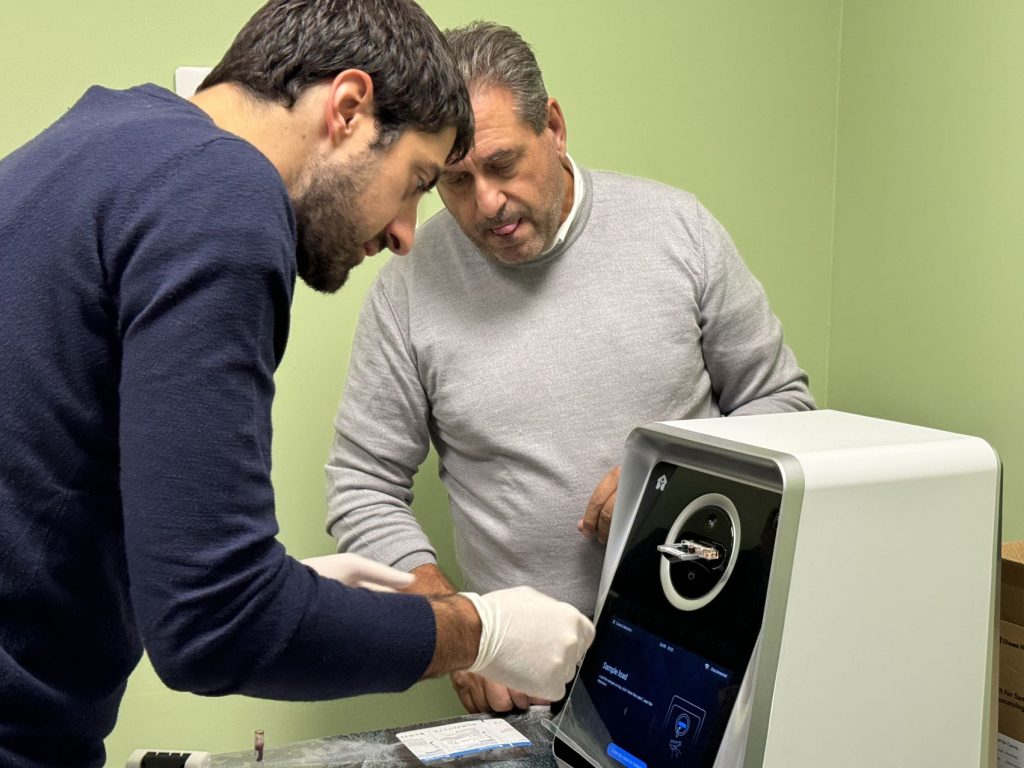
The aspiration needle represents the instrument’s initial contact point with every blood sample. Over the course of 200 to 800 tests per day (depending on facility volume), cellular material, fibrin, and protein deposits accumulate on the needle’s external surface and internal bore.
Materials Required: Chempad alcohol wipes (non-reusable, single-use only)
Procedure:
- Pre-operation cleaning (before first patient sample): Use individual Chempad wipes to clean the external needle surface and aspirate alcohol through the internal bore
- Post-shutdown cleaning (after final daily tests): Repeat needle cleaning while the analyzer is powered down
Why This Task Is Critical: Aspiration needle contamination causes carryover—residual material from the previous sample contaminates the next sample. A patient with elevated WBC might cause the next patient’s sample to show falsely elevated WBC counts, leading to misdiagnosis.
Red Flags Requiring Immediate Action:
- Visible blood residue on needle surface
- Slow or inconsistent aspiration speed
- Blank testing showing elevated values (indicating carryover)
- Increased clot detection errors
Task 2: Blank Testing (Carryover Verification)
Blank testing uses diluent only—no blood sample—to verify that the analyzer’s chambers, aspiration pathway, and optical sensors contain no residual material from previous samples.
Purpose: Establish baseline measurements against which patient results are compared. Blank results should consistently show zero or near-zero values across all parameters.
Frequency: Perform before the first patient sample of each operating day. Some high-throughput facilities perform blank testing every 4 to 8 hours during extended operating schedules.
Expected Results: White blood cell count near 0, red blood cell count near 0, hemoglobin near 0, platelet count near 0
Troubleshooting: If blank testing fails (shows elevated values), execute an additional needle cleaning cycle and repeat. If failure persists, run the analyzer’s automatic flushing and chamber washing functions before attempting another blank test.
Task 3: Quality Control (QC) Analysis
Quality control is the daily verification that the analyzer functions within acceptable parameters. Unlike blank testing (which checks contamination), QC testing confirms that the analyzer accurately counts and measures known standard materials.
Frequency: Daily or per shift—typically 3 times daily (morning, midday, evening) or every 8 hours for 24-hour operations
Materials: QC control samples available in three levels:
- Low level (simulating anemia or low counts)
- Normal level (healthy reference range)
- High level (simulating elevated counts)
Process:
- Select QC cartridge or liquid control per manufacturer protocol
- Insert into analyzer following standard sample aspiration procedure
- Record QC results immediately after completion
- Compare results to established control ranges (typically ±3 standard deviations from mean)
- Document results in physical or digital logbook with date, time, and operator initials
Acceptance Criteria: Results must fall within ±3 standard deviations (the 1 3S Westgard Rule). Results outside this range require investigation before patient testing resumes.
Supporting Daily Tasks:
- Check reagent and lyse bottle levels (ensure sufficient volume for daily operations)
- Verify waste container has capacity (empty if reaching 75% full)
- Clean external analyzer surfaces with lint-free cloth and mild disinfectant
- Perform proper power-down procedures (allowing flushing and chamber cleaning cycles to complete)
Weekly Maintenance Tasks: Preventing System Degradation
Task 4: Fluidic System Flushing
The fluidic system—comprising tubing, valves, chambers, and waste lines—circulates blood samples, diluent, and lysis chemicals through the analyzer. Over days of operation, blood stains accumulate on internal surfaces, proteins crystallize in dead-end chambers, and small fibrin clots lodge in tubing bends.
Materials: Manufacturer-recommended cleaning solution (specific formulations vary by equipment type)
Procedure:
- Access the maintenance menu on the analyzer’s control panel
- Select “Cleaning Cycle” or “Flushing Function”
- Ensure the cleaning solution bottle is properly connected to the analyzer’s intake line
- Initiate the automated flushing cycle, which pumps cleaning solution through all tubing, chambers, and valves
- Monitor progress on the display screen; cycles typically require 30 to 60 minutes
Purpose: Remove blood stains that would otherwise interfere with optical measurements, dissolve crystallized reagent residue that blocks fluid flow, and eliminate fibrin deposits that trigger clot detection errors
Safety: Wear nitrile gloves when handling cleaning solutions. Some formulations include surfactants or enzymatic components that can irritate skin. Ensure adequate ventilation if performing manual chamber soaking.
Task 5: Deep Cleaning of Sample Aspiration Area
While daily cleaning addresses the needle’s external surface, weekly cleaning addresses the entire sample presentation system—the probe that aspirates samples, the sample tray where tubes sit, and the sample holders that position tubes for aspiration.
Area Focus:
- Aspiration probe (the mechanism that moves the needle up and down)
- Sample tray (the carousel that rotates samples into position)
- Sample holders (individual wells or clamps that stabilize tubes)
Method:
- Power off the analyzer completely
- Remove the sample tray and holders per manufacturer protocol
- Soak components in cleaning solution overnight to dissolve dried blood and protein
- Use soft brushes to gently scrub surfaces (avoid abrasive materials that damage precision components)
- Rinse thoroughly with distilled water
- Allow components to air dry completely before reinstalling
Zapping Procedure: Most analyzers include an “aperture zap” function that uses electrical current to burn away microscopic blockages in optical detection windows. Run this function weekly on all apertures (RBC aperture, WBC aperture, and platelet aperture).
Clog Detection: Visually inspect all visible tubing for trapped air bubbles (which interrupt fluid flow and cause sample loss) or visible debris indicating partial blockage.
Task 6: Multi-Level Quality Control Verification
While daily QC typically uses one or two control levels, weekly QC should include all available levels (low, normal, high) to verify analyzer accuracy across the full measurement range.
Process:
- Run low-level control sample
- Wait for results completion
- Run normal-level control sample
- Wait for results completion
- Run high-level control sample
- Document all three results in QC logbook
Trend Analysis: Plot results on a Levey-Jennings chart (or digital equivalent). Look for patterns:
- Gradual upward or downward drift in results (suggests calibration drift)
- Sudden shift in results (suggests instrument malfunction or reagent lot change)
- Results consistently near control limits (suggests approaching failure)
Documentation: Record any trends requiring action and communicate patterns to your supervisor. Trends predict maintenance needs before failures occur.
Supporting Weekly Tasks:
- Inspect optical system components for dust accumulation on windows
- Review and verify reagent bottle expiration dates
- Inspect electrical connectors and cable connections for visible corrosion or looseness
Monthly Maintenance Tasks: Intensive System Care
Task 7: Internal Component Cleaning
Monthly maintenance requires access to the analyzer’s internal components and should be performed during scheduled downtime.
Procedure:
- Power off the analyzer and disconnect power cable
- Allow system to cool for 15 minutes if recently used
- Open all accessible compartment doors to expose internal electronics
Materials: Aerosol duster, Chempad and Chemswab alcohol wipes
Internal Cleaning Process:
- Use aerosol duster on circuit boards, avoiding direct contact with electronic components
- Use Chemswab alcohol wipes to remove dirt from microcontroller connectors
- Pay special attention to cooling vents and fan intake areas where dust accumulates
- Remove dust from any visible optical components (though avoid touching lens surfaces directly)
Safety: Implement electrostatic discharge (ESD) control measures when handling internal electronics. An ESD wristband connected to the analyzer’s ground prevents static discharge damage.
Task 8: Electronic Components and Connector Inspection
Electronic systems and connections degrade over months of vibration, temperature cycling, and humidity exposure.
Workstation Cleaning:
- Monitor screen: Clean with microfiber cloth and screen cleaner
- Keyboard and mouse: Use Chempad alcohol wipes for keys and surfaces
- External cables: Inspect for damage to insulation
Cable Verification:
- Follow each cable connection point
- Ensure cables are not pulled tight or bent at severe angles
- Check that connections are fully seated with no exposed pins or loose connectors
- Note any cable abrasion or cracking in insulation
Sensor Connector Check:
- RBC sensor connection: Verify connector is fully seated and clean
- WBC sensor connection: Verify connector is fully seated and clean
- Use ESD-safe swabs to gently clean connector pins if visible dirt is present
Power Re-supply Verification:
- Ensure the main power cable is fully inserted into the wall outlet
- Check that surge protector (if used) shows no tripped breaker lights
- Verify backup battery indicator (if present) shows adequate charge
Task 9: Intensive Cleaning of Fluidic System
Monthly cleaning addresses components inaccessible during weekly maintenance.
Aperture Cleaning:
Optical apertures detect individual blood cells. Blockages cause count errors.
- Access aperture cleaning function in maintenance menu
- Run aperture zap function multiple times (5-10 repetitions)
- For persistent blockages: Use fine wire (smaller than human hair) to gently clear openings—manufacturer service manuals provide specific instructions
- Chemical dissolving agents dissolve protein accumulation; follow manufacturer protocols exactly
Valve Inspection:
- Access valve components per manufacturer protocol
- Inspect for crystallized deposits (white or orange-colored residue)
- Clean visible crystallization with Chempad and Chemswab alcohol wipes
- Check valve action by manually operating valves (if safe per protocol)—they should move smoothly with no grinding resistance
Tubing Assessment:
- Inspect all visible internal tubing for cracks or tears
- Check for persistent kinks or sharp bends that restrict flow
- Look for external tubing showing degradation (hardening, cracking, discoloration)
- Measure tubing ID (internal diameter) if manufacturer provides reference values—degraded tubing narrows over time
Lysing Chamber Cleaning:
- The lysing chamber breaks open blood cell membranes to release hemoglobin
- Residual hemoglobin causes carryover between samples
- Clean thoroughly using approved cleaning solutions and soft brushes
- Use Chemswab alcohol wipes for final surface cleaning
Pump Performance Assessment:
- Listen for normal pump operation (smooth humming or clicking pattern)
- Unusual grinding, squealing, or chattering sounds indicate bearing wear
- Monitor flow rates if your analyzer displays this data—declining flow rates suggest pump degradation
Supporting Monthly Tasks:
- Calibration verification: Run full calibration procedure if required by protocol
- Equipment performance checks: Verify all automated functions operate correctly
- Temperature and humidity logging: Record environmental conditions (these affect analyzer accuracy)
- Maintenance logbook review: Compile all monthly records for documentation and trend analysis
Quarterly and Semi-Annual Preventive Maintenance
More intensive maintenance at 3 and 6-month intervals extends equipment life and prevents catastrophic failures:
- Tubing and filter replacement: Worn tubing loses elasticity and flexibility
- Component lubrication: Apply manufacturer-approved lubricants to moving parts (if permitted)
- Comprehensive system rinse: Use complete manufacturer protocols for maximum cleaning
- Sensor recalibration: Some sensors drift and require recalibration beyond routine procedures
- Valve disassembly and deep cleaning: Access components not reached during monthly cleaning
- Software and firmware updates: Manufacturers release improvements and bug fixes
- Diagnostic tests by qualified technicians: Annual or semi-annual service visits identify wear patterns and predict upcoming component failures
Quality Control Deep Dive: More Than Just Running Samples
Quality control serves multiple critical functions beyond simple daily verification:
Understanding QC Purpose
- Real-time monitoring: QC results immediately alert technicians to analyzer drift or malfunction
- Calibration drift detection: Gradual changes in QC results warn of recalibration needs before patient results are affected
- Systematic vs. random errors: Westgard Rule interpretation reveals whether errors are consistent (systematic) or sporadic (random)
- Performance trend tracking: Monthly QC trend analysis predicts equipment failure weeks or months in advance
QC Cost Reality
Annual QC material costs range from $10,512 to $14,000 for typical clinics. Most facilities run QC three times daily across 2 levels (low and normal) at approximately $4.80 per vial:
3 daily runs × 365 days × 2 levels × $4.80 = $10,512 annually
By month six, most labs recognize that QC material costs represent 22% of their total reagent budget. Yet this investment prevents misdiagnoses, regulatory violations, and emergency service calls that collectively cost far more.
Dry-Type vs. Liquid QC
Modern analyzers increasingly use dry-type QC cards that require no temperature control, offer extended shelf life (2 years vs. 90 days for liquid controls), and simplify handling. Regardless of QC type, Westgard Rule interpretation remains the standard—the 1 3S rule (any single result exceeding 3 standard deviations from the mean) triggers investigation.
Calibration: The Foundation of Accuracy
When to Calibrate
- Mandatory minimum: Every 6 months (CLIA requirement)
- Reagent lot changes: New lots of diluent, lyse, or other reagents require recalibration
- QC trend concerns: Gradual drift in QC results signals calibration drift
- Environmental changes: Significant temperature or humidity shifts can affect measurements
- Post-maintenance: After internal component replacement or major cleaning
- System startup: Some analyzers require pre-operation calibration on specific schedules
Calibration Verification Process
Use manufacturer-supplied calibrator materials (blood products with known values) to verify that analyzer measurements match expected results. Document baseline values, compare new results to established targets, and update analyzer calibration coefficients when values exceed acceptable variance.
Error Codes: Understanding Your Analyzer’s Warning System
Acceptable Error Frequency
- Excellent performance: Fewer than 4 error codes per month
- Acceptable range: 4 to 10 errors per month
- Red flag: More than 10 errors per month indicates training deficiencies or equipment design issues
Common Error Codes
- Clot detection: Fibrin buildup in sample line (usually corrected by needle cleaning)
- Low sample volume: Insufficient sample aspiration (correct by verifying sample tube positioning)
- Calibration drift: Results exceeding acceptable range (requires full calibration)
- Aperture blockage: Blood or protein obstruction in optical detection windows (corrected by aperture zapping)
- Optical sensor error: Dirt on optical windows (corrected by optical cleaning procedures)
- Temperature error: Environmental conditions outside acceptable range (verify room climate control)
Building a Troubleshooting Response
Maintain detailed error code logs noting date, time, error code, and resolution. Train staff on the top 10 manufacturer-specific error codes relevant to your equipment. Identify patterns—do certain error codes occur consistently at specific times or under certain conditions? These patterns guide maintenance priorities.
Creating and Following a Maintenance Schedule
Consistency determines maintenance effectiveness. Attach a printed checklist to the analyzer or implement digital maintenance scheduling:
Daily Checklist:
- Pre-operation visual inspection
- Aspiration needle cleaning
- Blank testing
- Quality control analysis (minimum 1 level)
- Reagent level checks
- Error log review
- Proper shutdown procedure
Weekly Checklist:
- Fluidic system flushing
- Sample aspiration area deep cleaning
- Multi-level QC runs
- Tubing inspection
- Optical component check
- Reagent expiration date verification
Monthly Checklist:
- Internal component cleaning
- Electronic connector inspection
- Intensive fluidic system cleaning
- Aperture zapping (5-10 cycles)
- Valve inspection for crystallization
- Pump performance assessment
- Calibration verification
- Maintenance logbook documentation
Digital maintenance scheduling through laboratory information systems sends automated reminders and creates timestamped audit trails. For smaller facilities using paper checklists, assign rotating staff responsibility to ensure continuity.
Staff Training: Building Maintenance Competency
Initial training for new operators should include 2 to 4 hours of hands-on instruction covering system operation, maintenance procedures, safety protocols, basic troubleshooting, and documentation. Quarterly refresher training maintains competency, and annual competency assessments verify that staff retain knowledge.
Ensure backup coverage by training at least two operators per shift—when the primary technician is unavailable due to illness or vacation, maintenance cannot lapse.
Cost Management: Hidden Expenses and ROI Calculations
Understanding total cost of ownership transforms purchasing and operational decisions. Traditional analyzer annual costs include equipment depreciation, reagents ($8,000-$20,000), QC materials ($10,512-$14,000), service contracts ($9,600+), service overages ($385+ per call), and staff labor ($20,000-$40,000 for 150-300 annual maintenance hours).
Rigorous preventive maintenance reduces service calls by 60 to 80%, eliminating the largest variable cost driver. The ROI on maintenance investment appears within 6 months as service call frequency drops.
Conclusion: Maintenance as Investment, Not Burden
CBC machine maintenance represents far more than routine equipment care—it forms the foundation of reliable diagnostic medicine. Daily, weekly, and monthly maintenance tasks prevent the cascading failures that force emergency service calls, regulatory investigations, and patient harm.
The Monday morning startup ritual transforms from a burdensome requirement into an opportunity for quality assurance. Each needle cleaning, each QC run, each calibration verification represents a deliberate choice to prioritize diagnostic accuracy and patient safety.
Facilities investing in rigorous maintenance documentation, staff training, and preventive procedures consistently achieve superior outcomes: reduced downtime, extended equipment lifespan, lower operational costs, and most importantly, diagnostic results that clinicians and patients can trust.
Your CBC machine is not an automated appliance that operates independently. It is a precision diagnostic instrument that performs at the level of care you provide it. Maintenance is not a burden—it is the investment that transforms equipment into reliable diagnostics.